
How to keep track of warranties, renewals and bills
Most missed renewals aren't forgotten. The date was written down all along, in a PDF nobody opened. A simple way to keep track of what's due, and when.
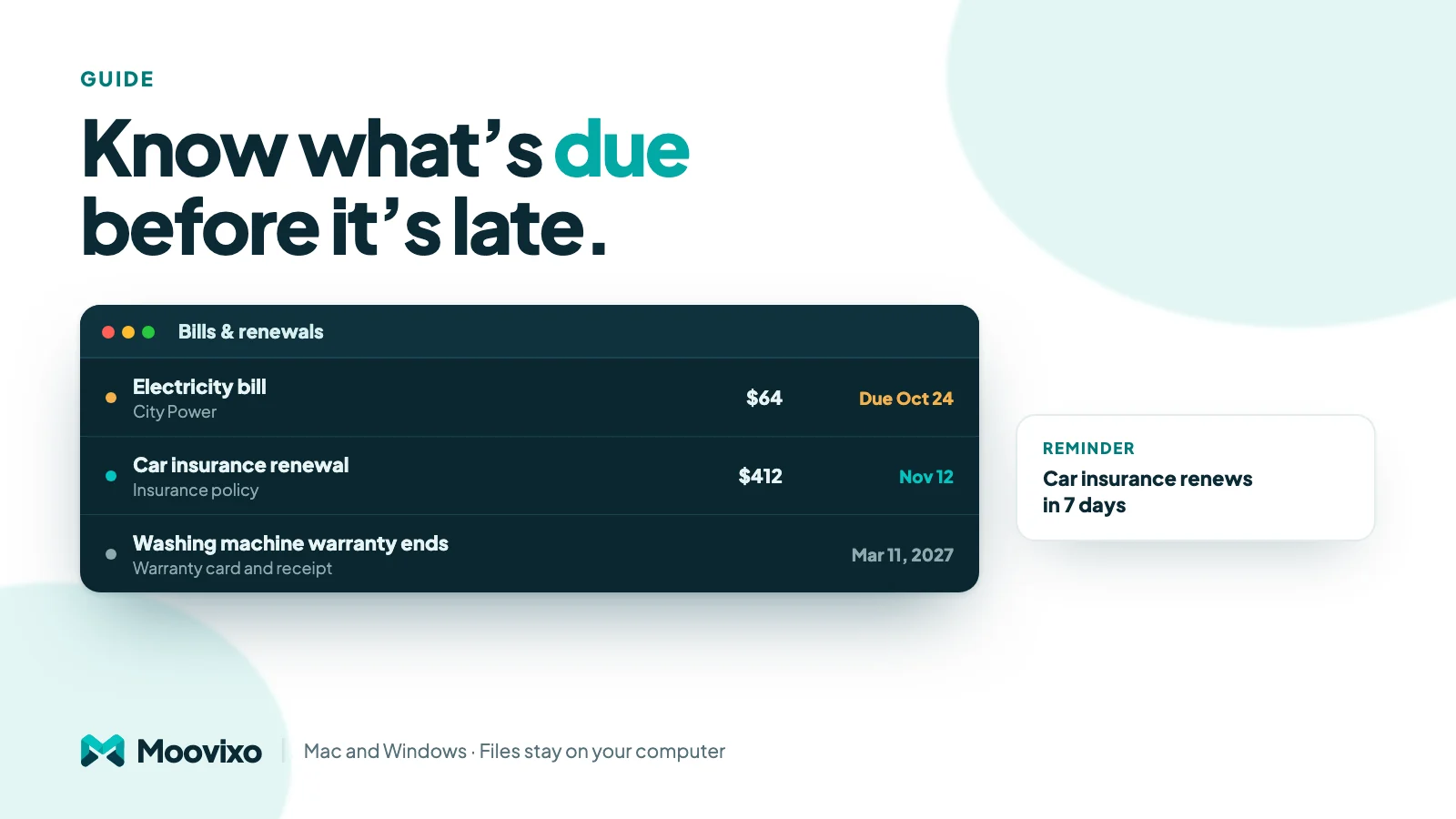
Here's how it usually goes. The washing machine stops spinning, you remember it came with a warranty, and you go looking for the card. It's a PDF on your laptop, right where you saved it. The warranty ended three weeks ago.
Nobody misses these dates on purpose. The information was there all along. The trouble is that it was inside a document, and documents don't remind you of anything.
What's worth tracking
Not every date matters. These are the ones that tend to cost money when they slip past:
Warranty end dates for anything expensive: laptops, phones, appliances, the car.
Insurance renewals, whether it's car, health, home or travel.
Yearly subscriptions and domain names, which renew on a card you may have replaced since.
Bills with due dates, especially the ones that don't come every month.
Passports and other IDs. Many countries won't let you in unless your passport is valid for several more months, so the real deadline is earlier than the date printed on it.
Why the spreadsheet never lasts
The usual advice is to keep a spreadsheet: item, date, amount. It's a sensible idea, and almost nobody keeps it up. Every new warranty or policy means opening the document, finding the date, opening the spreadsheet and typing it in. It works for the first three entries. By the fourth you're busy, and from then on the spreadsheet is quietly out of date, which is worse than not having one at all.
Whatever you choose has to cost almost nothing per document, or you'll stop doing it.
A low-effort way to do it by hand
If you'd like to keep it manual, this is the version that tends to stick:
One folder for these documents. Keep each warranty with its receipt, because the receipt proves when you bought it and you'll need it to make a claim. Insurance policies can go in a folder of their own next to it.
The important date in the file name. Name the file after the date that matters, not the day you saved it:
Washing machine warranty (ends 2027-03-11).pdf. Now the folder itself tells you what's coming up.One calendar event with an early reminder. When you save the document, add an event on the end date with a reminder two or three weeks before. Put the file name in the event notes, so the document is easy to find when the reminder goes off.
That's about a minute per document, and you only do it for the things that matter. For bills that come every month, set up autopay where you can and leave them off the calendar entirely.
Let your documents remind you
Even a minute per document is a minute you'll sometimes skip. That's why Moovixo has Bills & renewals. It reads due dates, renewal dates, expiry dates and warranty periods from the documents on your computer, including the ones that were there long before you installed it, and picks up the amount wherever it's written.
One list shows what's overdue, what's due this week, and what the next month is going to cost.
You get reminders 30 days, 7 days and 1 day before each date.
Mark a bill as paid and its reminders stop.
A weekly summary shows the dates coming up, alongside what was filed that week.
All of it happens on your computer. Your bills and policies aren't uploaded anywhere, and there's no account to create.
Moovixo also files the documents themselves: bills under the company that sent them, IDs and payslips under the person they belong to. So when a reminder comes up, the document is one click away. It's free for 7 days on Mac and Windows. Try it on the folder where your paperwork lives, and see which dates it finds.
Keep reading
How to organize tax documents for your accountant
Gather the records your accountant needs, sort them by tax year, and send a checked set with a clear note about anything missing.
A digital filing system for small business
Set up business folders for clients, finance, HR and legal paperwork, with clear names, sensible access and a yearly handover to your accountant.
How to find duplicate files on Mac
Find duplicate downloads, check identical files in Terminal, and set extra copies aside without deleting something you still need.