
A digital filing system for small business
Set up business folders for clients, finance, HR and legal paperwork, with clear names, sensible access and a yearly handover to your accountant.
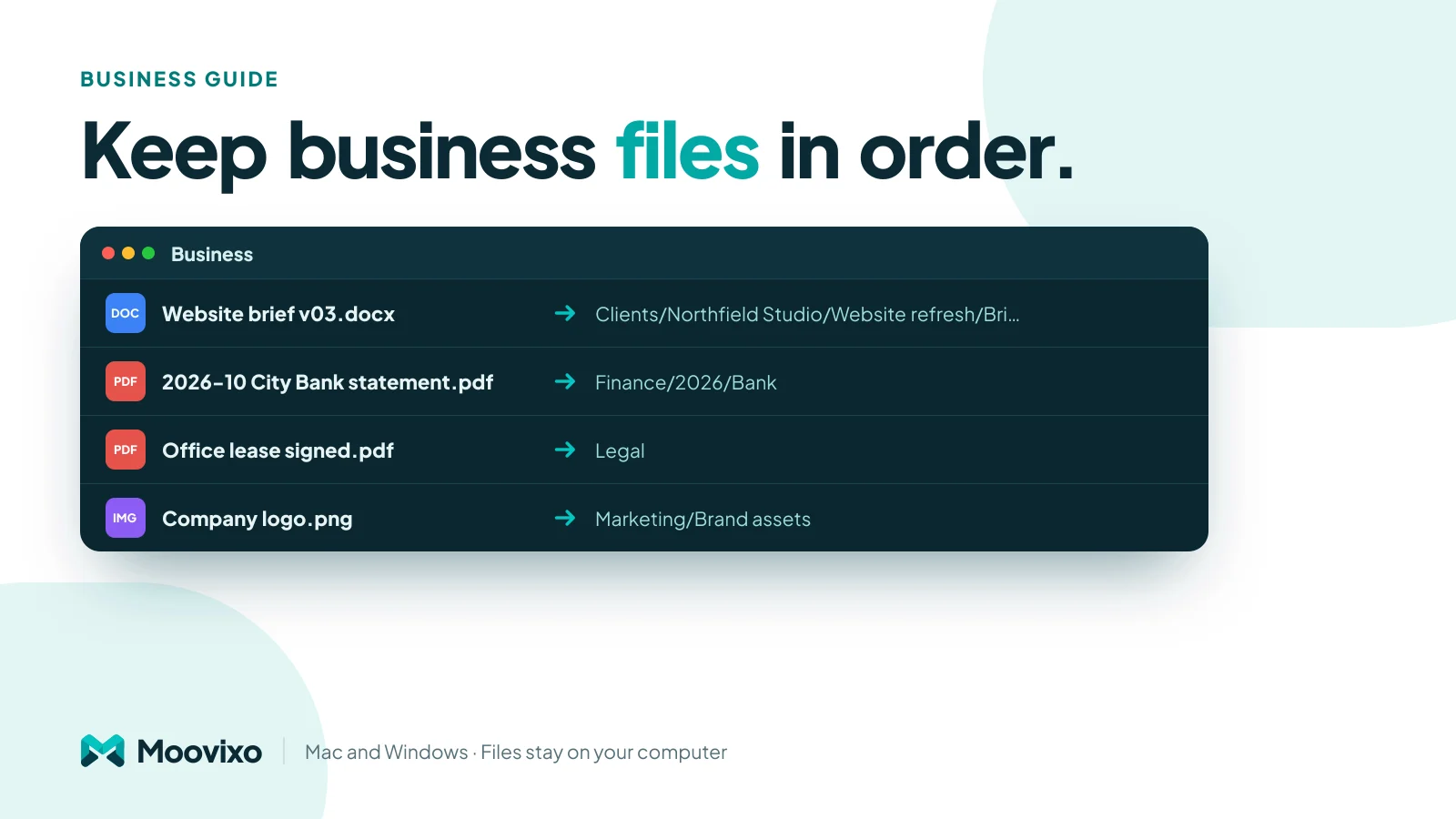
The client agreement is on your laptop, the bank statement is buried in email, and your accountant needs both. Choose one agreed place for business files before spending time renaming anything.
Choose one home for business files
If you work alone, that might be a Business folder on your computer. For a team, choose a shared location where you can control who sees and edits each area. Everyone should know where the working originals belong.
Avoid parallel filing systems on individual Desktops. Two people, two “latest” agreements. If that still happens, the folder structure hasn't solved much.
Keep a separate backup too. A central folder isn't one, even if everyone uses it correctly. For files outside the business, see how to organize files on your computer.
Build folders around business tasks
Organize by the work a file belongs to, not its format. A supplier invoice and a client brief may both be PDFs, but you won't look for them in the same place.
Business/
  Inbox/
  Clients/
    Northfield Studio/
      Website refresh/
        Briefs/
        Deliverables/
  Finance/
    2026/
      Sales/
      Purchases/
      Bank/
      Tax/
  HR/
  Legal/
  Marketing/
    Brand assets/
    Campaigns/
  Archive/
Clients holds project work, organized by client and then project when needed. Briefs and Deliverables are optional. Add them when there's enough material to justify the split, rather than creating empty subfolders for every possible task.
Inside Finance, Sales holds invoices you issue, while Purchases holds bills and receipts for business spending. Bank holds statements. Put returns, tax notices and supporting tax paperwork in Tax. For more detail, see organizing invoices and receipts.
Use your accounting-year label instead of 2026 if you don't work to a calendar year. Permanent legal records and reusable brand assets belong outside those annual folders. You shouldn't have to remember which year you saved the company logo.
HR holds employee paperwork. Restrict access. Legal holds business-wide agreements, registrations and policies, though a client agreement can live with its project if access is appropriate. Marketing holds reusable logos and templates under Brand assets, with individual campaigns kept separately.
Preserve useful existing names. If everyone knows Accounts, there's no reason to rename it Finance, then spend time explaining the change. Choose one home for each original rather than keeping competing copies in Clients and Finance. Record that choice in a short filing note.
Name files so someone else can recognize them
A filename should make sense to someone who didn't download the document. Include the company or subject and the document's purpose, adding a date, version or status when it helps:
2026-10-31 City Bank statement.pdf
Northfield website brief v03.docx
2026-11-04 Supplier service agreement signed.pdf
Use YYYY-MM-DD for dated paperwork, taking the date from the document rather than the download. Not everything needs one. A reusable template can simply be Client proposal template.docx.
Agree what status words mean. Use “Draft” for work in progress and “Approved” once the document has been accepted for its intended use. Reserve “Signed” for a copy containing all required signatures, not one you're still waiting to receive. Keep signed copies separate from editable working drafts.
Keep extensions unchanged. For files that travel between Mac and Windows, stick to letters, numbers, spaces, hyphens and underscores. Avoid slashes, colons and question marks. Leave unnecessary confidential details out of filenames too, including employee identification numbers.
Linked project assets need more care. Leave their names alone unless you know how to update their references, because renaming an image can break the layout that uses it. Tidiness isn't worth that.
Set access before adding HR and legal records
A folder called Private doesn't restrict access. Neither does HR. Set actual permissions in your chosen storage system before adding sensitive records.
Give project staff access to the relevant client work and whoever handles accounts access to Finance. Employee records need a narrower audience, not everyone who can open the business folder.
Legal paperwork needs judgment. A standard supplier agreement and a confidential ownership agreement may both fit under Legal, but that doesn't mean the same people should see them. Separate them where necessary.
Make one person responsible for the folder structure and access changes. Review permissions when roles change or someone leaves. Your accountant may only need a package of records for a particular period, not permanent access to the business folder.
The filing note should explain where originals belong, what status names mean and who maintains each area. Keep it somewhere staff can find it. The note itself shouldn't contain confidential information.
Give incoming files a short weekly review
Use Inbox for business documents whose destination is uncertain. It isn't a compulsory stop. A bank statement can go straight to the right year's Bank folder.
Once a week, open vague scans, file loose documents and settle unclear destinations. Check what scan00034.pdf contains before renaming it. If the same paperwork keeps getting stuck, choose its home and update the filing note so you aren't making the same decision every Friday.
Test the arrangement occasionally. Ask a colleague to find the latest signed client agreement or October's bank statement using the folders and note. Working alone? Try it without recent-file shortcuts. Finding something shouldn't depend on remembering last Tuesday.
Move existing paperwork in small batches, starting with current work. Keep complete project folders together and check that linked assets still work after moving them. Ten years of old files can wait. This week's scattered documents can't.
Move finished client projects into Archive, keeping the client and project names in the folder path. Judge by use, not age: an old modification date doesn't mean a document is inactive. Retention periods depend on the document and applicable rules, so don't attach a universal deletion schedule to Archive.
Prepare a checked package for your accountant
Ask your accountant which period, documents and formats they need before assembling the package. Check the dates first. Their reporting period may differ from the year printed on your folders.
- Check that bank statements cover the requested period without unexplained gaps.
- Include the requested sales and purchase records.
- Add the tax documents and supporting records they asked for.
- Flag missing paperwork in the index instead of leaving the accountant to discover the gaps.
- Confirm the delivery method and who should receive the package.
Copy the requested records into a separate handover folder. Leave source documents in their normal homes:
Accountant handover/
  2026/
    Index.txt
    Sales/
    Purchases/
    Bank/
    Tax/
In Index.txt, state the period covered, what's included and anything outstanding. “November statement requested, not yet received” is more useful than an unexplained empty folder.
Exclude unrelated HR, legal and client records. Agree on a secure delivery method with the accountant rather than assuming ordinary email is suitable. The package is a handover, not a check of the accounts, and copying records into it doesn't prove everything required is present.
Automate filing after the structure is settled
Moovixo uses existing folders and reads documents on your computer to work out where they belong. Once you've confirmed which company is yours, it distinguishes invoices you issue from those you receive and files them as sales or purchases.
The first run is a preview. Check the proposed destinations before approving moves. Afterward, confident moves can happen automatically, uncertain suggestions wait in Review, and unclear files stay where they are. Moves are recorded for undo.
Moovixo's Tax pack copies a year's invoices, receipts, payslips, bank statements and tax documents into a ZIP with an index, leaving the source folders unchanged. You can untick items before creating it. It supports calendar years and the Indian financial year from April to March. Need a different period? Prepare that package separately.
Staff permissions, shared storage and backups still need separate arrangements. You'll also need to check the accountant's package for missing or unrelated records. If your business only handles a few documents a month, the folders and a weekly review may be enough.
Keep reading
How to organize tax documents for your accountant
Gather the records your accountant needs, sort them by tax year, and send a checked set with a clear note about anything missing.
A digital filing system for small business
Set up business folders for clients, finance, HR and legal paperwork, with clear names, sensible access and a yearly handover to your accountant.
How to find duplicate files on Mac
Find duplicate downloads, check identical files in Terminal, and set extra copies aside without deleting something you still need.