
How to organize tax documents for your accountant
Gather the records your accountant needs, sort them by tax year, and send a checked set with a clear note about anything missing.
Your bank statements are in Downloads, receipts are in email, and last year's return is somewhere on the old laptop. You need one checked set for your accountant, not a new filing system.
Confirm what they need first. Then copy the records into one tax-year folder, note the gaps, and send the set through the agreed delivery method.
Confirm the year and the accountant's checklist
Ask your accountant for the reporting period's exact start and end dates, their document checklist, preferred file formats and delivery method. A short email now can spare you twelve months of statements for the wrong twelve months.
Tax years and document requirements vary by country and circumstances. India's financial year, for example, runs from April to March. A folder labeled 2025 leaves too much room for interpretation.
Check whose records belong in the handover, too. Your accountant may want personal and business paperwork separated, or a folder for each business. If they provide a structure, use it. There's little value in inventing a competing system.
Gather the records that apply to you
Start with your accountant's request. This list can help you look for gaps, but it isn't a substitute for their checklist:
- Income records such as payslips, annual income summaries and business sales records.
- Bank and credit card statements for the accounts your accountant has asked to review.
- Expense invoices and receipts, with any supporting details requested.
- Investment statements and transaction records for the relevant period.
- Loan statements showing interest where available, plus any other loan records requested.
- Last year's tax return and supporting schedules, if you have them.
A bank deposit doesn't explain income on its own. It might be a customer payment or a transfer between your accounts, so keep the supporting record and flag anything you can't explain.
A receipt doesn't establish that an expense is deductible. Nor is a loan repayment necessarily all interest. Supply the evidence. Leave uncertain tax treatment to your accountant.
Create one folder for the agreed tax year
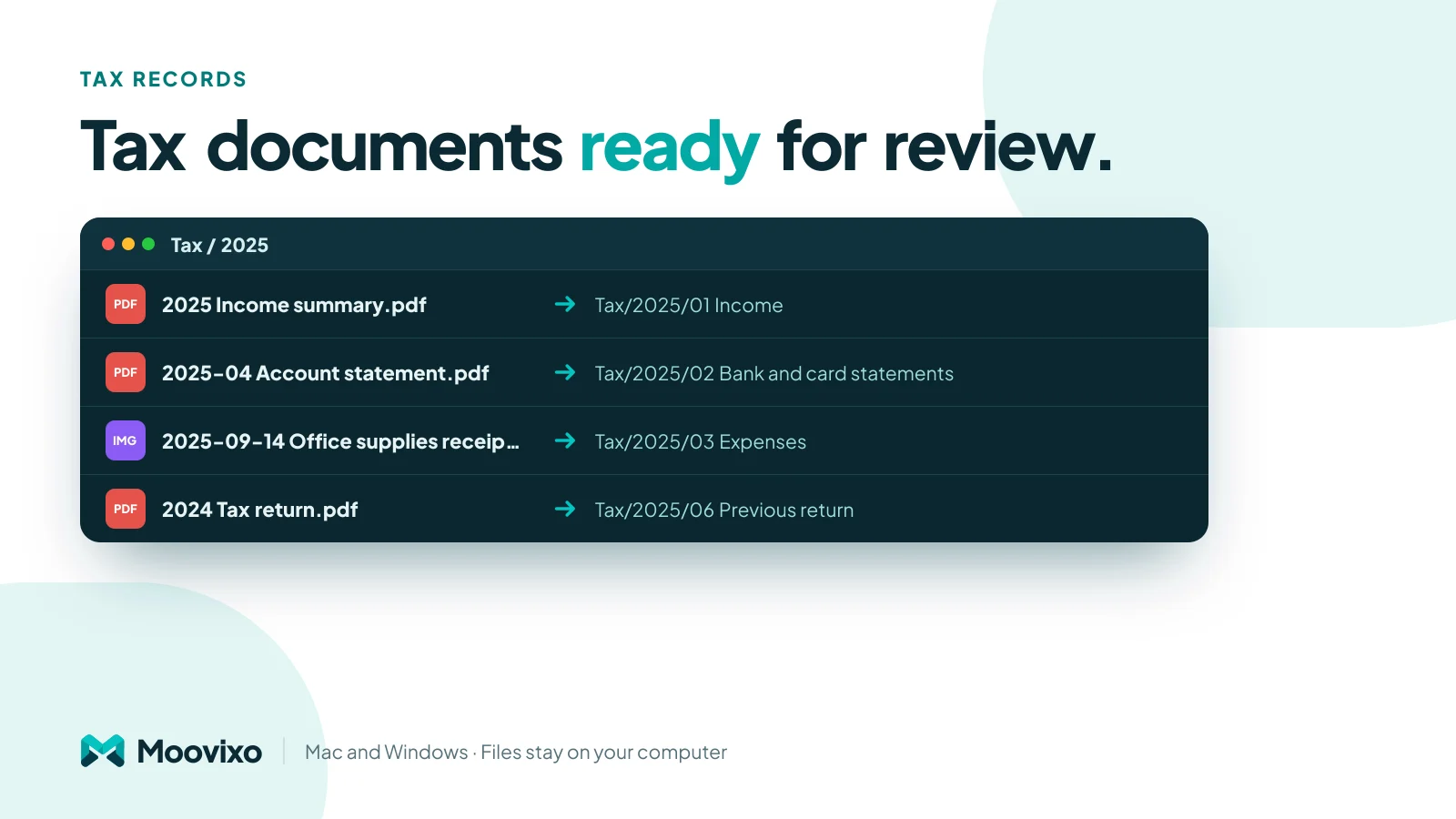
If your accountant has confirmed the calendar year 2025, a handover folder could look like this:
Tax/
  2025/
    01 Income/
    02 Bank and card statements/
    03 Expenses/
    04 Investments/
    05 Loans/
    06 Previous return/
    Questions and missing records.txt
The previous return goes here as reference material, separate from the current year's income and expenses.
For a period spanning two calendar years, use a name such as FY 2025-2026. Write the agreed start and end dates in the notes file. Nobody should have to infer them from the folder name.
Copy, don't move. That keeps a client's invoice with the client and a household bill where you'd normally find it, while your accountant gets a separate handover set.
For filing records throughout the year, see how to organize invoices and receipts. Preparing this year's records doesn't require reorganizing everything you've ever saved.
Collect readable files and give vague names some context
Work through your finance folders, Downloads, email attachments and providers' online document areas, using the accountant's checklist to guide the search. Don't copy every financial-looking file you find.
Download statements rather than sending screenshots of account balances. A balance screen doesn't show the same transaction history or statement period. Keep the original PDFs and any spreadsheet or transaction exports your accountant requests. A picture of a spreadsheet won't do.
For paper receipts, capture the whole document. Check that the date, supplier, total and reference number are readable, and include every page of a multipage document. A sharp image of half a receipt still leaves half missing.
Rename vague files in the handover copy. scan00034.pdf could become 2025-09-14 Office supplies receipt.pdf. For statements, use the period covered, such as 2025-04 Business account statement.pdf, rather than the download date.
Keep the extension unchanged. If an accounting system or linked spreadsheet depends on a file's name or location, leave the source alone and use the system's supported export process. Follow your accountant's instructions.
Filing isn't reconciliation. If a statement total doesn't match your records, note the difference and which records you compared. Don't alter a document to make the numbers agree.
Check the packet and list what is missing
Review the folder against the accountant's checklist, not against how full it looks. Hundreds of receipts won't make up for a missing account statement.
- Compare statement coverage with the requested period, looking for missing months or other gaps.
- Open scans and exports to check readability, page counts and expected data.
- Compare likely duplicates before setting extra copies aside.
- Identify revised documents so the accountant can distinguish them from earlier versions.
- List missing records, unexplained transactions and questions that still need an answer.
Two receipts from the same supplier for the same amount may be separate purchases. Check dates and reference numbers as well. While you investigate, keep uncertain copies outside the handover folder without deleting them.
Be specific about gaps. Business account statement for June requested, not yet received. tells your accountant more than Some bank paperwork missing. Identify the account clearly enough for them to recognize it. Leave out login details.
Ask about documents near the reporting-year boundary. The download date doesn't settle which period a record belongs to, so put uncertain items in your notes rather than guessing at their tax treatment just to finish the folder.
Send one checked set through the agreed channel
Use your accountant's secure portal or another agreed delivery method. An ordinary, unencrypted ZIP groups files together. It doesn't protect their contents.
Never include banking passwords or login codes. If you've agreed to use encrypted delivery that requires a password, share that password through a separate agreed channel, not in the message containing the attachment.
Add a short handover note with the reporting period, categories included, missing records and outstanding questions. If a revised document replaces an earlier one, identify both files and say which to use.
Open the final folder or ZIP before sending it. Check that the expected files are there, then look for unrelated personal papers or another business's records that may have slipped in while you were collecting documents.
Keep a dated copy of exactly what you sent, separate from your working collection. Label later additions clearly, for example 2025 Additional records sent 2026-11-17, with a note explaining what's new or replaced. Several slightly different packets with no explanation leave your accountant to work out which one is current.
A sent copy on the same disk isn't a backup. Include it in your normal backups.
Use Tax pack to collect records you already have
Moovixo's Tax pack can help with preparing business paperwork for an accountant. It copies a year's invoices, receipts, payslips, bank statements and tax documents into one ZIP with an index. The source folders stay unchanged.
Choose the calendar year or the Indian April-to-March financial year, then review the selection and untick files before creating the ZIP.
Missing records still need chasing. Moovixo can't obtain statements from your providers or settle tax questions, and you shouldn't assume the selection includes every investment or loan record requested. Compare it with your accountant's checklist, collect missing material separately, and send the checked set through the agreed channel.
Keep reading
How to organize tax documents for your accountant
Gather the records your accountant needs, sort them by tax year, and send a checked set with a clear note about anything missing.
A digital filing system for small business
Set up business folders for clients, finance, HR and legal paperwork, with clear names, sensible access and a yearly handover to your accountant.
How to find duplicate files on Mac
Find duplicate downloads, check identical files in Terminal, and set extra copies aside without deleting something you still need.